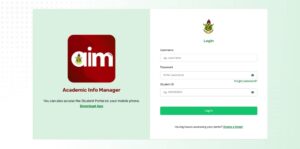
1. Log In:
– Open the AIM App on your phone or device.
– Enter your student ID and password to log in.
2. Find Registration:
– On the home screen of the app, look for the Registration icon and tap it.
3. Start Registration:
– Tap on “Start Registration” to begin choosing your courses.
4. Enter PIN (If Needed):
– Sometimes, the system may ask for a 4-digit PIN. Enter it to continue.
READ ALSO:KNUST Activates Online Course Registration for All Students
5. Select Your Courses:
– Compulsory Courses: These are already selected for you. You don’t need to change anything here.
– Elective Courses: Choose your electives from the available sets (Set 1, Set 2, Set 3). Pick the ones you’re supposed to take.
6. Review and Save:
– Double-check all your course selections.
– Then click Save Registration.
7. Get Your Registration Slip:
– After saving, download or email your registration slip (PDF).
– Submit it to your Exams Officer as proof of registration.